Pay by bank, built right into your checkout.
Banking Gateway lets you add Pay by Bank to your website, app, or invoices. The customer chooses their bank account, reviews the payment, gives explicit consent, and authenticates with their bank; Bancify facilitates the instruction and status. Funds move account-to-account through the banks, never through a Bancify wallet, and there are no card details to store. Designed for merchants serving the UAE.
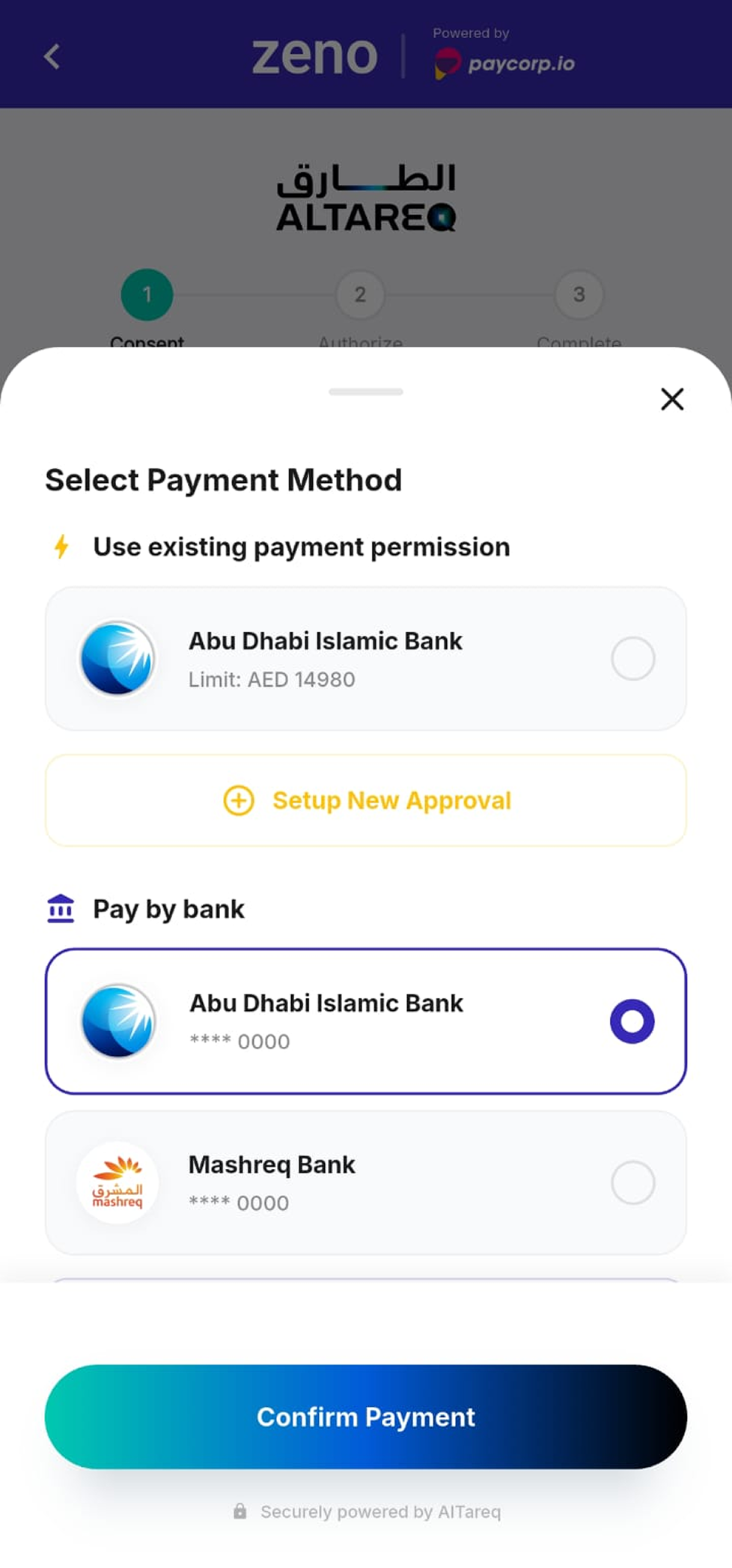
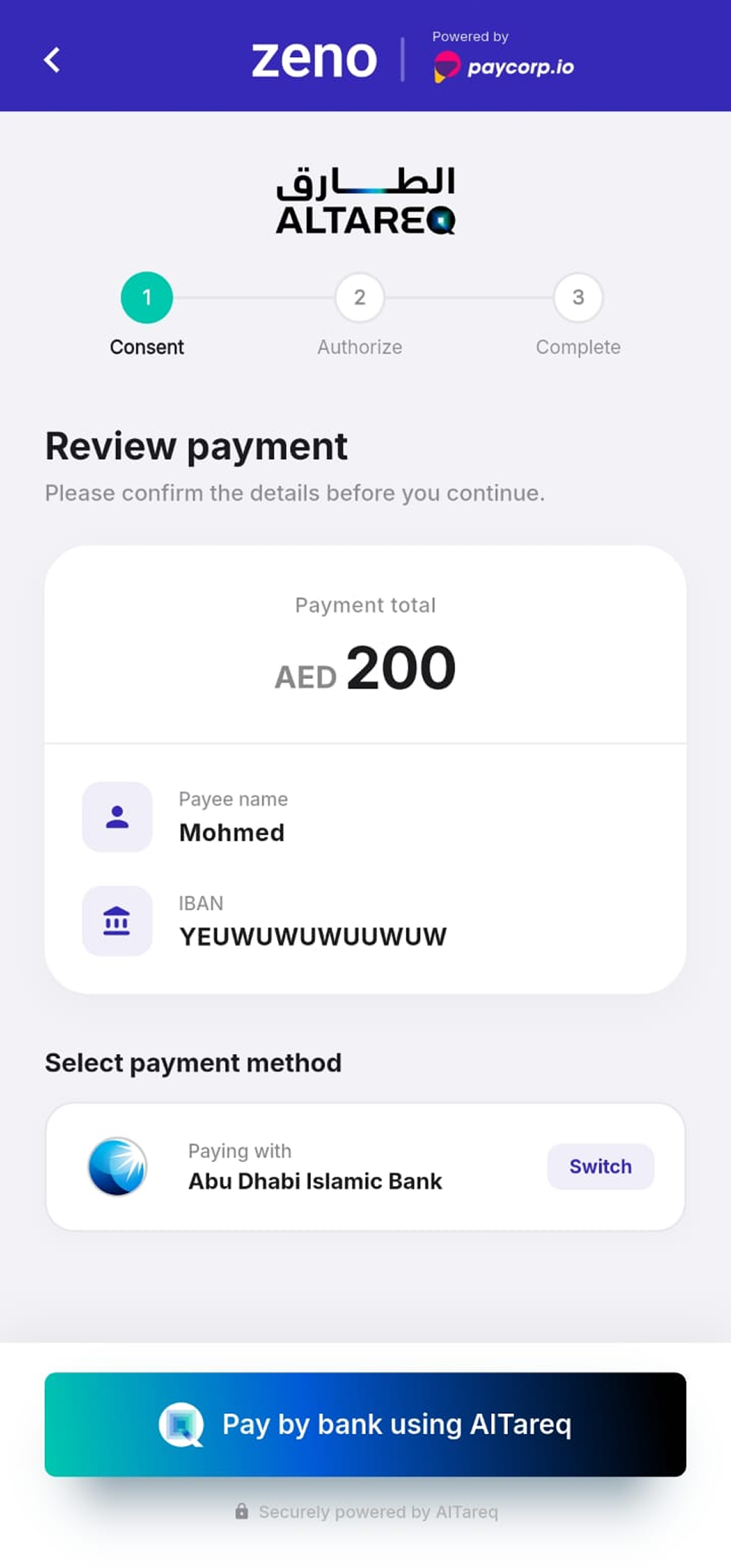
A bank-payment option,
at your checkout.
Card checkout asks customers to enter and store card details, and loses some to declines, expiry, and 3-D Secure drop-off. Banking Gateway adds a Pay by Bank option beside it: the customer approves the payment from their own banking app, and it is initiated account-to-account. No card details pass through your checkout for this method. It is part of the same Open Finance platform as Instant Payment and Recurring Payment, so you can add related capabilities through one provider, with each customer permission kept purpose-specific.
Where Pay by Bank fits.
One integration across your channels: checkout, in-app, invoices, and rent or service fees. Give the customer a consent-based bank-payment option, and wire it into your store or platform.
A bank-payment option at checkout.
Give customers Pay by Bank beside cards and wallets, with no card details to store.
Add Pay by Bank alongside your existing payment methods. The customer picks it at checkout, approves the payment in their own bank, and it is initiated account-to-account. Each payment carries a reference, and the status is returned so you can update the order. It works the same for online checkout, in-app payments, and invoices.
- A Pay by Bank option next to cards and wallets
- Account-to-account, with no card details in your checkout
- A reference and status on every payment
Plug it into your store or platform.
One integration, ready connectors, a clean API, and webhooks for status.
Connect Banking Gateway to your store, cart, or platform with ready connectors and a straightforward API. Drop in a hosted Pay by Bank button, or wire it into your own checkout, and use webhooks to update orders as the payment status changes. Test in a sandbox first, then go live. Adding it involves merchant onboarding and integration with your checkout and reconciliation systems.
- Ready connectors for common stores, carts, and platforms
- A clean API and hosted checkout option for custom builds
- Webhooks and a sandbox for status and safe testing
From checkout
to confirmation.
Choose pay by bank
The customer selects it at checkout, alongside cards and wallets.
Consent & authenticate
They review it, approve, and authenticate in their own bank. Bancify never sees their PIN or password.
Bancify submits it
Bancify securely submits the instruction on the UAE Open Finance Framework.
Status returned
The bank and payment system execute; the status is returned to you and the customer, and a webhook can update the order.
Adding Banking Gateway involves merchant onboarding and integration. Payment execution, settlement, and outcome depend on the banks and payment systems.
A consent-based
bank-payment option.
One integration
Add Pay by Bank once, across your store, cart, app, or platform.
No card details
Card details never pass through your checkout for this payment method.
Consent-first
Every payment is approved and authenticated by the customer in their bank.
Non-custodial
Funds move through the banks and payment systems, not a Bancify wallet.
Status for reconciliation
Payment status is returned for order updates and reconciliation.
Consent-first, built for
the UAE framework.
Banking Gateway is designed for the Central Bank of the UAE (CBUAE) Open Finance Framework. Each payment is approved and authenticated by the customer in their bank, no card details pass through your checkout for this method, and no funds pass through Bancify. Production availability is subject to CBUAE authorisation, certification, and participating-bank support.
Consent-driven
Every payment is explicitly approved by the customer from their own bank.
No card details
Card details never pass through your checkout for this payment method.
Non-custodial
Bancify facilitates the instruction; banks and payment systems execute and settle.
Aligned with CBUAE Open Finance Regulation (Circular 03/2025) · Merchant Service Initiation (Pay by Bank) · Subject to authorisation & certification
Built for anyone
collecting payments.
Merchants & billers
Add a bank-payment option at checkout, on invoices, or for rent and service fees.
Platforms & marketplaces
Offer Pay by Bank across your sellers from one integration.
Developers & fintechs
Embed a consent-based bank-payment journey with a clean API.
Ready to add Pay by Bank to your checkout?
Tell us where you collect payments, whether that is your own store, a cart, a platform, or invoices, and we’ll show you the path to add a consent-based bank-payment option.